Home / Product
Everything the counter book used to hold
Six jobs your shop already does, put on one screen — and how to be selling with it in a single shift.

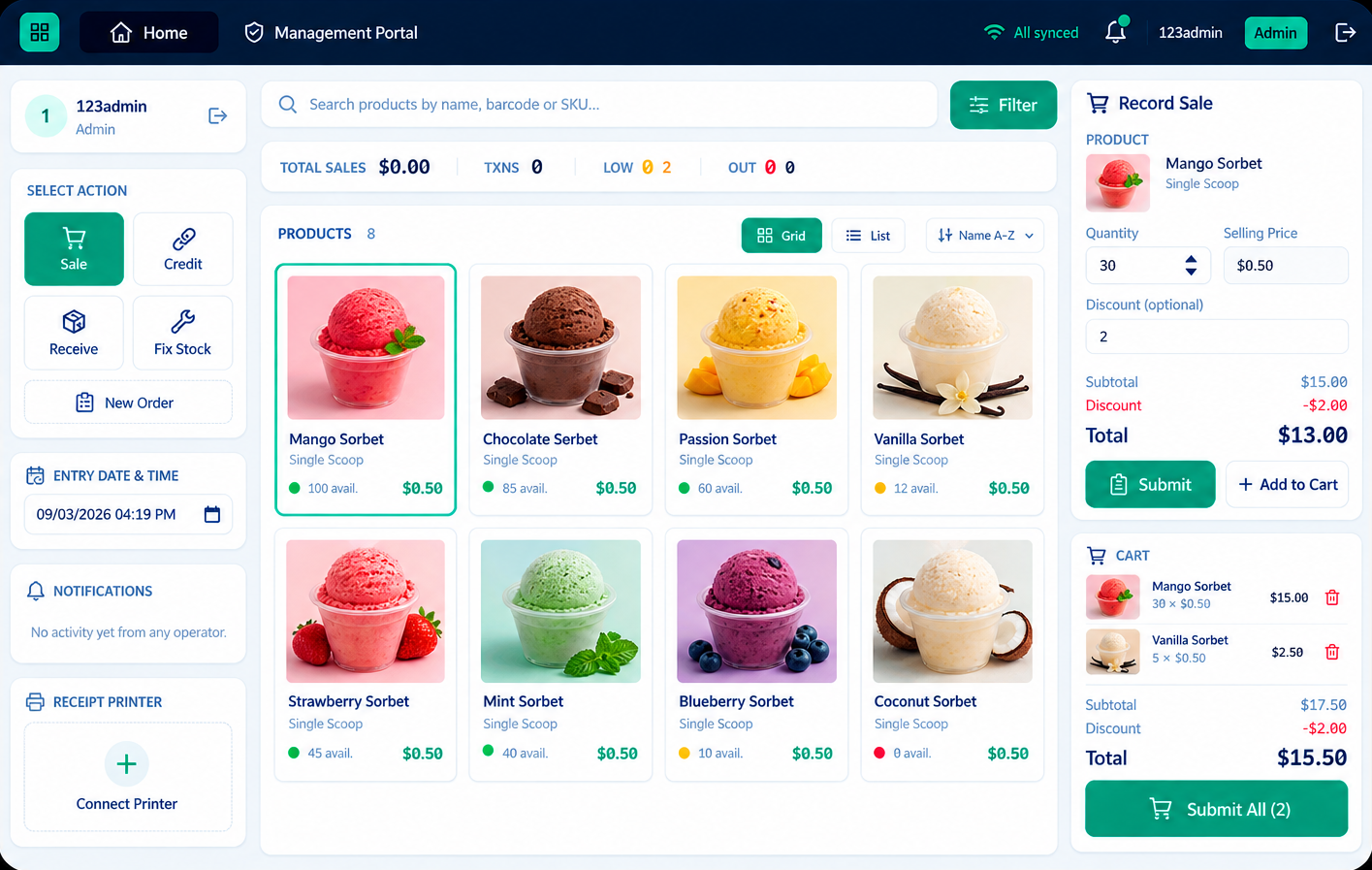
Ring up a sale the way your cashiers already think about it
Pick a product, adjust the quantity, apply a discount if needed, and close out with a running total. No hidden steps, no training manual required.
- Fast product search and quick-add
- Per-line and whole-sale discounts
- Running daily total per cashier

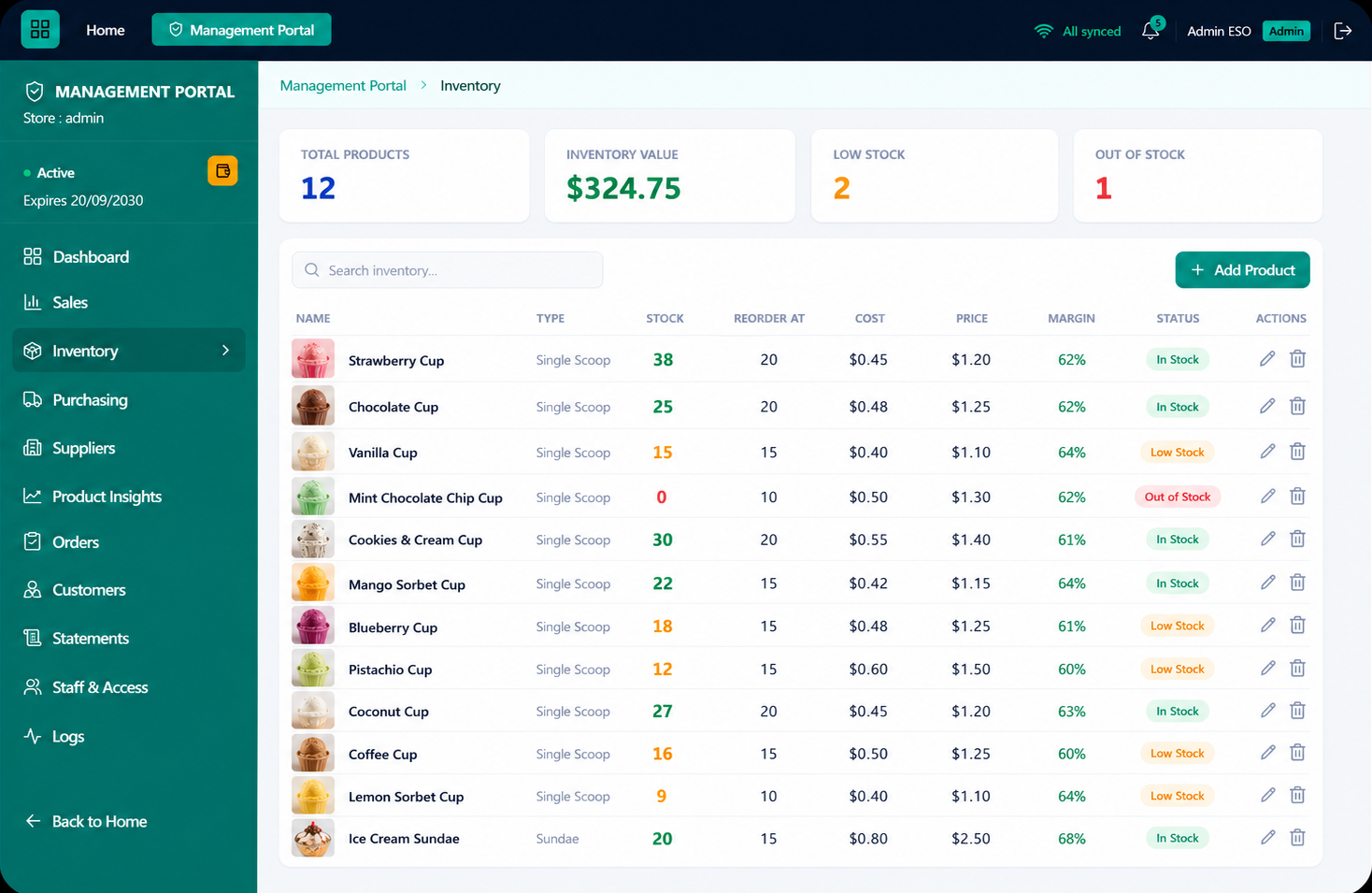
Know what's actually on the shelf, not what you hope is there
Every sale updates stock automatically. Low-stock and out-of-stock items get flagged so you can reorder before a customer asks for something you don't have.
- Automatic stock deduction on every sale
- Low-stock and out-of-stock flags
- Manual stock corrections when counts drift

The credit book, without the torn pages
Mark a sale as credit and it's added to that customer's running balance. When they come back to pay it off, you'll know exactly what they owe — no memory required.
- Running balance per customer
- Mark credit as paid when settled
- Full history of what was owed and when

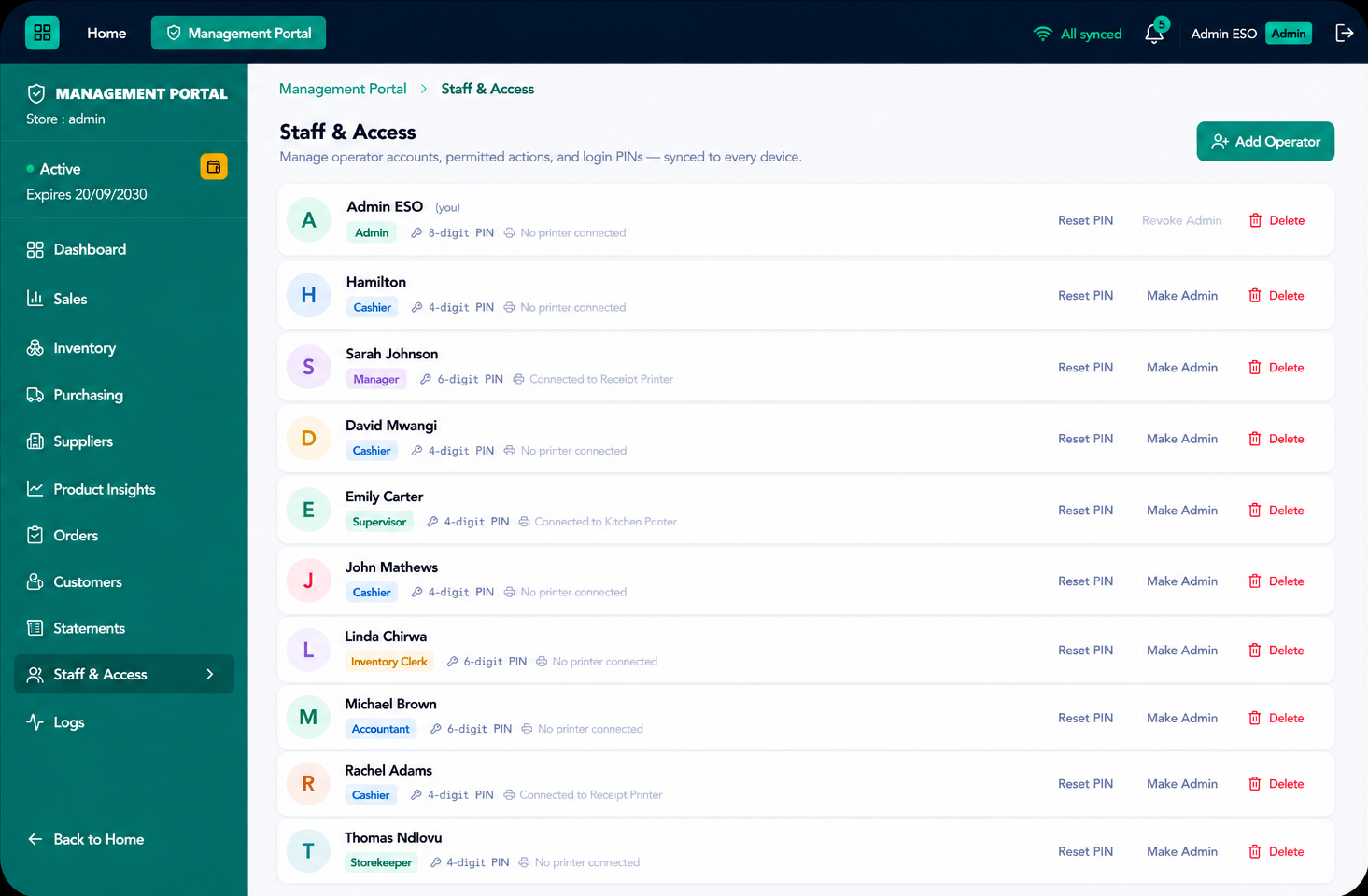
Every cashier gets their own PIN, not a shared password
An admin sets up each operator with a 4-digit PIN and only the actions they're allowed to use — sales, credit, receiving stock, or fixing counts.
- Unlimited staff PINs, no per-seat cost
- Per-operator permissions, set by an admin
- Every sale logged against the cashier who made it

Order stock, receive it, and keep the paper trail
Raise an order to a supplier, receive it into inventory when it arrives, and keep a record of every order your shop has placed.
- Raise orders against saved suppliers
- Receive stock straight into inventory
- Full order history, per supplier

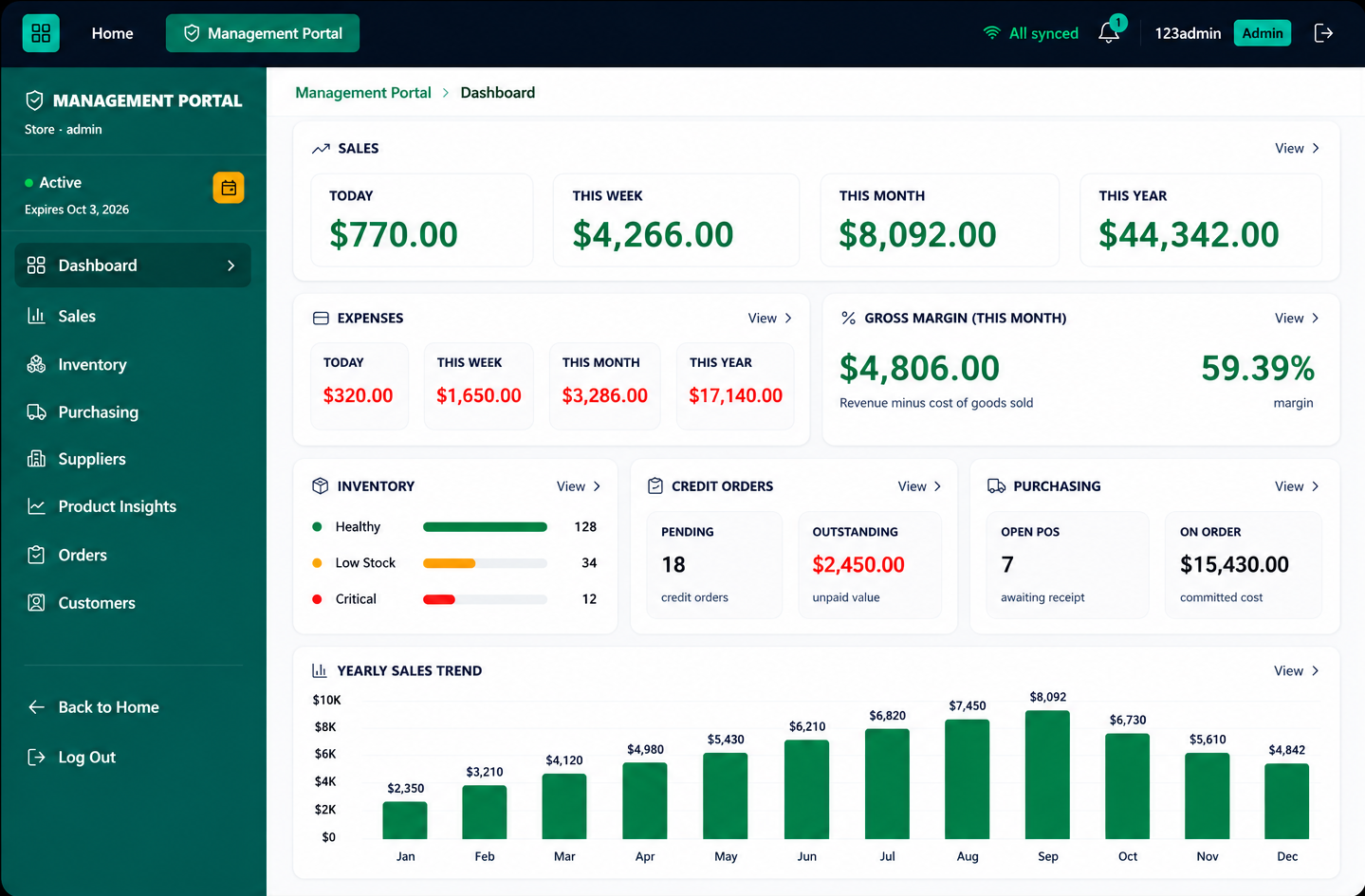
See how the shop's actually doing, not just how it feels
Today's sales, this month's trend, and your best-selling products, at a glance — for admins checking in on the business, not just the till.
- Daily, weekly, and monthly sales totals
- Best-sellers and slow movers
- Admin-only view of totals across all cashiers
The same screens your staff already use
Switch between the views below the way a cashier or an owner actually would.
- 1
Sign up with your email
Create an account and start a 30-day free trial with every feature unlocked, no card required. You're set up as the shop's Admin.
- 2
Add your products
Enter each product's name, price, and starting stock, one at a time or your whole shelf up front.
- 3
Give each cashier a PIN
From Staff & Access, set a 4-digit PIN per cashier and choose which actions they can use.
- 4
Start ringing up sales
Cashiers log in with their PIN and sell. Stock updates automatically and every transaction is logged.
- 5
Check in whenever you like
As Admin, open the Dashboard for today's sales, the month's trend, and who's owed what, from the shop or from home.
A few things that make the day-to-day easier
Works without internet
Sales, stock, and staff logins run locally on the device. You only need a connection to sync and confirm payment.
Pay over WhatsApp
When your trial ends, send payment and confirm over WhatsApp. No card needed, and access reactivates as soon as it's confirmed.
Your history is kept
If your subscription lapses, you keep read access to everything you've recorded. Nothing is deleted, only new changes pause.